
What you can connect
- Social media, LinkedIn, Twitter/X, Instagram, Threads, Bluesky, Facebook, YouTube
- Blogs & publishing, WordPress, Webflow, Wix, Ghost
- AI tools, Claude, ChatGPT, and other MCP-compatible assistants
- CRM, connect your customer data to inform content strategy
- Email, loop agents into email workflows
- Research tools, give agents access to data sources and search tools
- And 1,200+ more, any tool in your stack can be connected and operated by your agent team
How it works
Integrations are available to both you and your agents. Once connected:- You can publish content directly to connected platforms from the editor
- Your agents can operate those tools autonomously, posting, researching, updating records, without you being in the app
Setting up integrations
Go to Settings > Integrations to connect your accounts. Each platform has a simple authentication flow, click Connect, complete the steps, and it’s live.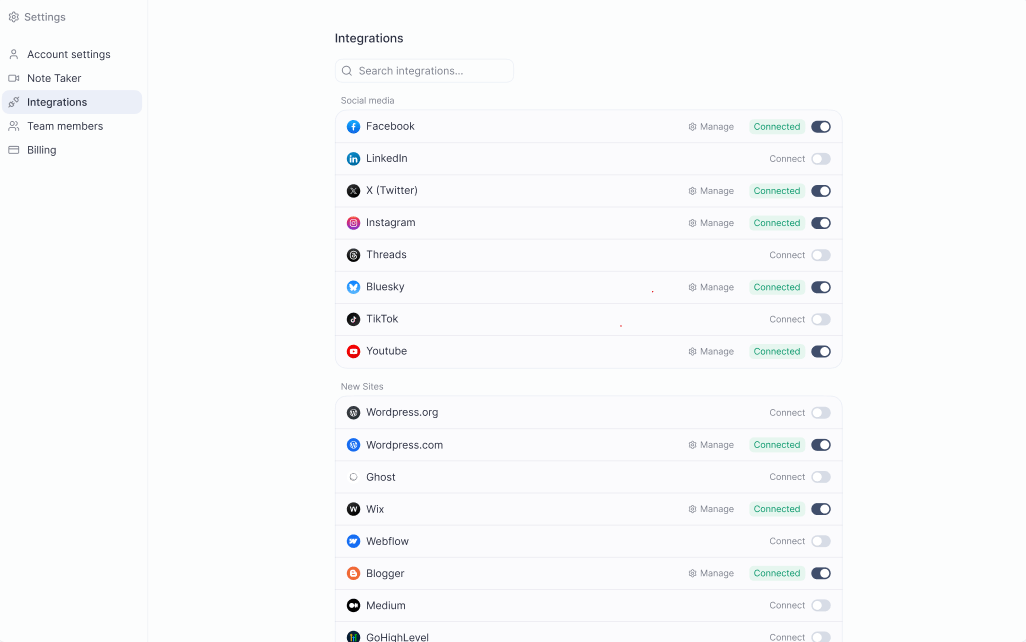
Platform-specific guides
Social Media
Connect LinkedIn, Twitter/X, Instagram, Threads, Bluesky, Facebook, and YouTube.
WordPress
Publish articles directly to your WordPress blog.
Webflow
Sync and publish content to your Webflow site.
Wix
Connect your Wix site for direct article publishing.
Ghost
Publish long-form content to your Ghost publication.
Marketplace
Distribute press releases to 400+ media outlets.
MCP
Connect Pressmaster to Claude, ChatGPT, and other AI tools.